Best Editing Tips for 360 Action Camera Footage
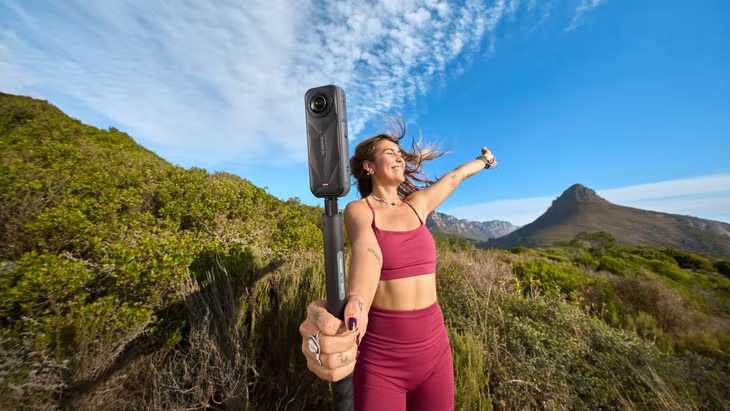
Editing footage from a 360 action camera can be both exciting and challenging. Unlike traditional cameras, a 360 action camera captures every angle of your surroundings, giving you endless possibilities to create immersive videos. Whether you are a travel vlogger, sports enthusiast, or content creator, mastering editing techniques for 360 action camera footage can elevate your videos to the next level.
- Understanding 360 Action Camera Footage
- Choosing the Right Editing Software
- Stabilizing Your Footage
- Cutting and Trimming Footage
- Adding Motion and Keyframing
- Correcting Colors and Lighting
- Adding Effects and Overlays
- Audio Editing and Spatial Sound
- Exporting and Sharing Your Footage
- Tips for Efficient Editing
- Common Mistakes to Avoid
- Conclusion
Understanding 360 Action Camera Footage
Before diving into editing, it is crucial to understand the unique characteristics of 360 action camera footage. A 360 action camera captures spherical video, meaning you can view the scene from any direction. Unlike standard footage, viewers can explore the environment interactively. This flexibility allows for creative storytelling, but it also requires a careful approach to editing to maintain immersion and avoid disorientation.
Choosing the Right Editing Software
The first step in editing 360 action camera footage is selecting software that supports spherical video. Popular options include Adobe Premiere Pro, Final Cut Pro, and specialized apps like Insta360 Studio. These programs allow you to manipulate 360-degree footage, add effects, and export in interactive formats. Using software designed for 360 action camera footage ensures smooth editing, stabilization, and seamless transitions.
Stabilizing Your Footage
Stabilization is critical for 360 action camera videos. Since a 360 action camera captures all directions, any shake or movement can be more noticeable than in traditional footage. Most 360 action camera software offers built-in stabilization tools. Apply stabilization carefully to maintain natural movement while reducing shakiness. Stabilized footage provides a professional look and enhances viewer experience.
Cutting and Trimming Footage
Editing 360 action camera footage requires precise cutting and trimming. Because viewers can look anywhere in the video, it is important to remove distractions and focus on the main subject. Trim unnecessary parts to keep the narrative engaging. Many 360 action camera editors allow you to set key points and adjust angles, making the footage more dynamic and viewer-friendly.
Adding Motion and Keyframing
One of the most powerful features of a 360 action camera is the ability to guide the viewer’s attention. Use motion and keyframing to control the viewpoint, zoom in on action, or highlight important elements. By setting keyframes, you can create smooth transitions from one angle to another. This technique transforms 360 action camera footage into a cinematic experience.
Correcting Colors and Lighting
Color correction is essential for all video editing, and 360 action camera footage is no exception. Adjust exposure, contrast, and saturation to make your footage vibrant. Since a 360 action camera captures the entire environment, inconsistencies in lighting can be more apparent. Correcting colors ensures that all parts of the scene look cohesive and natural.
Adding Effects and Overlays
Enhance your 360 action camera footage with effects and overlays. You can add text, graphics, or visual cues to guide viewers’ attention. Effects like slow motion or time-lapse work well with 360 action camera footage when used selectively. Remember that too many effects can overwhelm the viewer, so balance creativity with clarity.
Audio Editing and Spatial Sound
Immersive audio complements the visual experience of 360 action camera footage. Many 360 action camera models record spatial audio, capturing sound from all directions. Use editing software to enhance, balance, and synchronize audio with the video. Proper audio editing makes viewers feel as if they are inside the scene, increasing engagement and realism.
Exporting and Sharing Your Footage
Once editing is complete, exporting your 360 action camera footage correctly is crucial. Choose formats that support interactive viewing, such as equirectangular MP4. Ensure resolution and frame rate maintain quality, especially for VR headsets. Sharing your footage on platforms like YouTube or Facebook allows viewers to explore your 360 action camera content fully.
Tips for Efficient Editing
To maximize productivity when editing 360 action camera footage, follow these tips: plan your shots before filming, organize footage into folders, and use proxies for smoother editing. Pre-planning helps you focus on essential angles, while proxies reduce software lag. Efficient editing ensures that your creative vision comes to life without unnecessary frustration.
Common Mistakes to Avoid
Editing 360 action camera footage comes with challenges. Avoid over-zooming, excessive transitions, and ignoring stabilization. These mistakes can disrupt the immersive experience and distract viewers. Always preview your footage in 360-degree mode to ensure it maintains a natural flow and keeps the audience engaged.
Conclusion
Editing 360 action camera footage requires a combination of technical skill and creative vision. By understanding the unique characteristics of a 360 action camera, choosing the right software, stabilizing footage, and applying effects strategically, you can create immersive and captivating videos. Mastering keyframing, color correction, audio editing, and exporting ensures your content stands out. With these best editing tips, your 360 action camera videos will provide viewers with an unforgettable experience, capturing every angle of your adventures.